ChatGPT as Your Personal Assistant: Simple Daily Workflows
ChatGPT as a Personal Assistant: Calm, Consistent Support for Real Life
A personal assistant earns its keep by reducing decision fatigue, clearing away busywork, and keeping plans from slipping through the cracks. Used well, ChatGPT can become a steady day-to-day support system for planning, writing, learning, organizing, and problem-solving—without turning your life into a complicated “productivity project.” The key is to set simple roles, add guardrails for privacy and accuracy, and build repeatable routines you can rely on.
What a Personal AI Assistant Can (and Can’t) Do
Think of ChatGPT as a fast, flexible helper for text and structured thinking. It shines when you need momentum, clarity, or a clean first draft.
- Handle repetitive tasks: summaries, drafts, lists, checklists, and step-by-step plans.
- Support thinking and clarity: brainstorming, pros/cons, prioritization, and decision framing.
- Speed up learning: explain concepts, create practice questions, and build study plans.
- Act as a communication helper: rewrite messages, adjust tone, and structure long ideas into something readable.
- Limits to expect: occasional errors, outdated information, and the need to verify important topics.
For a high-level overview of ChatGPT’s capabilities and updates, reference OpenAI — ChatGPT.
Quick Start Setup: Goals, Guardrails, and a Simple Routine
Starting small prevents tool overload and makes the assistant feel genuinely helpful instead of “one more thing.”
Pick 2–3 assistant roles
- Schedule helper: plan days and weeks with realistic time blocks.
- Writing buddy: draft and polish emails, notes, and project updates.
- Learning coach: explain concepts and quiz you until it sticks.
Set guardrails up front
- Decide what personal data you won’t share (credentials, account numbers, private IDs).
- Choose what topics always require a second source (medical, legal, financial, compliance).
- Define the tone you want: concise, friendly, direct, or formal.
Use a light daily cadence
- Morning (5 minutes): choose priorities and define a “minimum viable day.”
- Mid-day recalibration (2–3 minutes): adjust if the day drifted.
- Evening wrap-up (5 minutes): reflect, capture loose ends, and set tomorrow’s starting point.
When you write a request, a reliable format is: context → constraints → desired output → example (when helpful). That structure reduces back-and-forth and keeps the output consistent.
Daily Workflows That Remove Friction
Everyday usefulness comes from repeatable workflows—small loops that turn chaos into the next clear action.
Morning: from messy list to a plan you can execute
Give your tasks, deadlines, and energy level. Ask for a priority order, time blocks, and a “top 3” that must happen even if the day goes sideways. This works especially well when you include constraints like meetings, commute time, and your realistic attention span.
Work/Study: learn faster by transforming notes
Paste rough notes and ask for a short summary, key terms, and a mini-quiz. For tricky topics, ask for a plain-English explanation first, then step up the difficulty until you can answer confidently.
Communication: send clearer messages with less stress
Draft emails, texts, proposals, and follow-ups quickly, then refine for tone: “more direct,” “more diplomatic,” or “more upbeat.” A good habit is to ask for a version that is shorter by 30–50% so the main point lands immediately.
Home life: reduce household planning load
List what’s already in the fridge and pantry, then ask for meal ideas, a shopping list, and a simple prep schedule. For chores, request a rotating plan that matches your bandwidth (light weekday maintenance, deeper weekend resets).
Evening: close the loop with quick reflection
Ask for 3 reflection prompts focused on action: what worked, what created friction, and what to tweak tomorrow. Over time, those small adjustments compound into a calmer baseline.
Example assistant workflows (copy-friendly formats)
| Situation | What to provide | What to ask for | Useful output |
|---|---|---|---|
| Overwhelmed to-do list | Tasks + deadlines + energy level | Prioritize and schedule with time blocks | A 3-task focus list + calendar-style plan |
| Meeting preparation | Agenda + attendees + goal | Generate questions and a 1-page brief | Talking points, risks, and next steps |
| Studying a topic | What is confusing + target level | Explain simply, then quiz | Plain-English explanation + practice questions |
| Writing something important | Audience + purpose + constraints | Draft, then tighten and adjust tone | Clean draft + 2 alternative tones |
| Weekly planning | Appointments + goals + constraints | Build a realistic weekly plan | Weekly map + daily “top 3” tasks |
Making Outputs More Reliable: Verification and Quality Checks
For a practical framework on managing AI risks in real-world use, see NIST AI Risk Management Framework (AI RMF 1.0).
Privacy, Safety, and Boundaries for Everyday Use
If you want a deeper baseline for privacy concepts and rights, review the European Commission — GDPR overview.
Putting It Into Practice with Supportive Tools
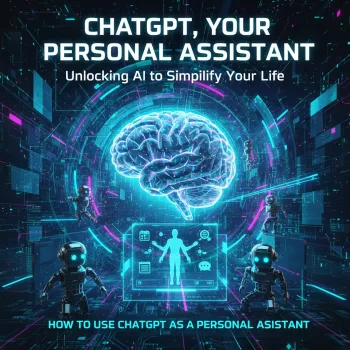
- ChatGPT, Your Personal Assistant: Unlocking AI to Simplify Your Life (eBook) helps you build a step-by-step system—starting with one routine and expanding week by week.
- AI Daily Calm Tracker printable checklist gives you a low-friction way to track what’s working, reduce overwhelm, and keep your habits visible.
- If you do deep work sessions, Wireless Gaming Earbuds with Bluetooth 5.3 & HD Stereo Sound can support focus blocks for writing, planning, and study—especially when paired with a short “top 3 tasks” plan.
FAQ
Can ChatGPT replace a human personal assistant?
It’s better as a complement than a replacement. It’s excellent for drafting, organizing, and brainstorming, but it can’t execute real-world tasks, guarantee accuracy, or handle sensitive decisions the way a trusted human can.
How can ChatGPT help with productivity without creating extra work?
Start with one or two high-frequency tasks and reuse the same format each time. Keep sessions time-boxed and focus on outputs you can paste directly into a calendar, task manager, or notes.
What should never be shared when using an AI assistant?
Don’t share passwords, financial account numbers, private IDs, or confidential workplace data. When you need help on a personal situation, anonymize details and follow any relevant workplace or privacy policies.





Leave a comment